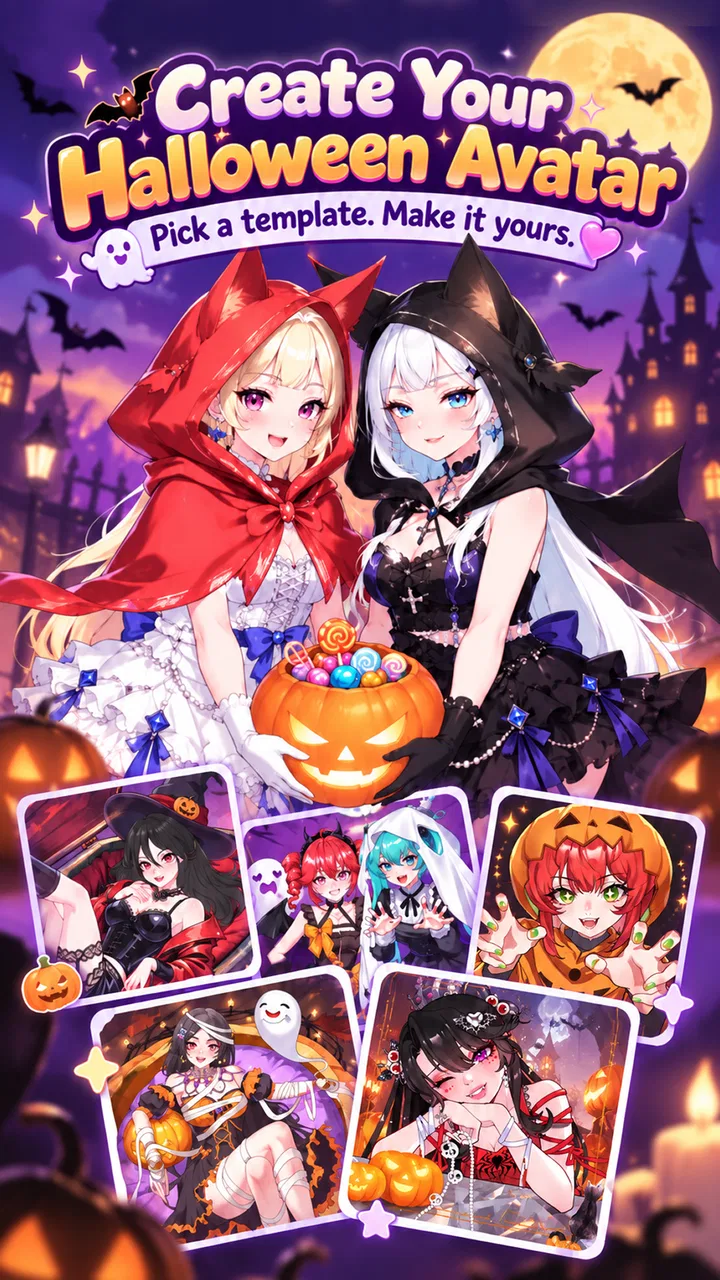
Neku: OC character creator
- 4.7
- Rating
- 10.00M
- Installs
- Free
- Price

 Analysis by App-foxy
I approached Neku: OC character creator as a quick way to build an original character rather than as a full drawing studio. That distinction matters. Its main appeal is the hand-drawn cartoon style: instead of starting with a blank canvas, I work from a collection of visual parts and gradually turn them into a character with a recognizable mood, outfit, and personality. For anyone who enjoys making avatars, character concepts, or profile images, that guided approach is much less intimidating than drawing everything from scratch.
The app comes from Neku Avatar Studio and sits in the entertainment category. It is free to install, with optional purchases ranging from $0.99 to $45.99 per item. It is marked for Teen users, and the current version is 1.7.68.11. The app runs on Android 7.0 or later, which makes it accessible on many older devices as well as newer phones. What convinced me to spend time with it was not simply the promise of an original character, but the way its visual decisions encourage experimentation without demanding traditional art skills.
Building an original character through guided choices
The central capability is character creation through layered visual customization. I can think about the character as a stack of decisions: face, hair, clothing, colors, accessories, and the small details that change the overall impression. That structure is more useful than it may sound. A blank drawing screen asks me to solve anatomy, proportions, line work, and coloring at the same time. Here, I can concentrate on the character’s identity first.
You May Also Like

 Blood Strike: 2.5 Anniversary
Blood Strike’s Loadouts Turn Every Drop Into a Tactical Gamble
A close look at Blood Strike’s custom loadouts: how fast access to signature weapons reshapes its battle royale rhythm, rewards preparation, and narrows the gap between fights.

 Pandora - Music & Podcasts
Pandora’s Music Is Easy to Start, but Harder to Recover
Pandora’s strength is its low-effort path from a seed to a station. Its weak spot is how much confidence it asks you to place in connection, setup, and quiet recovery.

 8 Ball Pool
 Is Built on Rivalries, Rematches, and Routine
A close look at the rivalries, rematches, shared routines, and unanswered safety questions that turn a quick pool match into a persistent mobile community.

 Samsung Music
’s Quiet Strength Is Playing What You Already Own
Its reach comes less from spectacle than from dependable access to a personal library. That simplicity is both the app’s strongest retention engine and its ceiling.

 AccuWeather: Weather Radar
AccuWeather Review: A Quick, Clear Forecast for Everyday Decisions
For everyday plans, the best forecast is the one you can understand quickly. AccuWeather makes rain timing, radar, and local conditions easy to act on, with a few trade-offs.

 Hill Climb Racing
Why Hill Climb Racing Still Turns Crashes Into One More Run
A tiny car, a bumpy hill and one more upgrade: Hill Climb Racing keeps resurfacing because its simple chaos makes every near-miss feel personal.
More From Our News Desk



The hand-drawn look also gives the results a warmer personality than a purely geometric avatar builder. The finished character feels designed rather than assembled from generic business-profile pieces. That makes the app especially suitable for original characters in the broad online-art sense: a fantasy persona, a role-playing concept, a private mascot, or simply an avatar that feels more personal than a selfie filter.
I found the most important creative effect in the limitation itself. Because I am choosing from a defined visual language, the character tends to remain stylistically coherent. I do not have to worry about combining a realistic face with a cartoon body or mixing incompatible line styles. The available choices guide me toward a finished image that looks like it belongs together. For beginners, that guidance is reassuring. For experienced artists, it can be a useful sketching shortcut, although it will not replace a proper illustration app when complete control is the priority.
A practical tip is to decide on the character’s role before changing details. I get better results when I begin with a simple idea such as “quiet student,” “cheerful adventurer,” or “dramatic performer,” then choose colors and clothing that support that idea. If I change every element independently, the character can become visually busy without becoming more interesting. The app works best when each selection serves a small story.
What the workflow feels like on a phone
On a phone, this kind of creator is naturally suited to short sessions. I can make a rough character while waiting for transport, refine it later, and stop once the design feels complete. That is different from a drawing program, where even a small change may require careful brush control. Here, the mental work is closer to styling and editing: compare options, reject what feels wrong, and keep the combination that communicates the right personality.
I recommend making a deliberately plain first version rather than trying to create the perfect character immediately. Start with a simple hairstyle, a restrained color scheme, and only a few accessories. Then make a second pass focused on one strong change. This makes it easier to see what actually improves the design. Adding several dramatic elements at once often hides which choice was successful.
Color selection deserves more attention than it usually receives. A character with many appealing individual parts may still look unfocused if every part uses a different strong color. I prefer choosing one main color, one supporting color, and a small accent. That approach makes the face and silhouette easier to read, especially when the character is viewed as a small profile image. It is also a useful way to make several characters feel like they belong to the same personal project.
Another worthwhile workflow is to create variations instead of endlessly editing one design. I might keep the same face and hair while changing the outfit, or preserve the outfit while testing a different expression or accessory. The comparison reveals the character’s visual anchor. Sometimes the hair carries the identity; sometimes it is the color combination or the clothing shape. Once I know that, later designs become faster and more consistent.
That is where this app differs from many ordinary avatar tools. A typical social avatar editor is often built around resemblance, quick profile use, or decorative effects. Neku’s appeal is more character-oriented. I am not merely trying to produce a polished version of myself. I am deciding what kind of fictional person the image represents. On the other hand, a dedicated illustration app remains the better choice if I need custom poses, detailed backgrounds, precise anatomy, or original line work.
A realistic everyday use for the creator
One realistic scenario is preparing a character for a small writing or role-playing project. Suppose I have a story idea but cannot picture the protagonist clearly. I can use the app to test a few visual directions: a softer design for a sympathetic lead, a sharper silhouette for a rival, or a brighter palette for a comic side character. The result does not need to be final artwork. It becomes a visual reference that helps me write consistently.
I also found the process useful for separating characters who share a setting. Keeping a common color mood while changing hair, clothing, and accessories can make a group look connected without making everyone identical. This is a better use of the app than generating one isolated avatar and never revisiting it. Treating the creator as a visual notebook gives it more value over time.
For social profiles, the app can work well when I want something expressive but not photographic. The cartoon format creates distance from real identity, while the character choices still communicate taste and mood. However, I would not choose it for a professional headshot, a realistic identity image, or a brand system that requires exact logo-style consistency. Its strength is personality, not corporate precision.
It can also be a gentle introduction to character design for younger creative users, though the Teen content rating is worth respecting. Parents and guardians should consider that rating before treating it as a general children’s art tool. The app is entertainment-focused, so I would approach it as a creative pastime rather than a structured lesson in drawing or design.
Where the freedom has limits
The biggest trade-off is the difference between customization and complete control. A guided creator can help me reach a pleasing result quickly, but I am still working within the visual choices the app provides. If I have a very specific character in mind, I may need to adjust the concept to fit the available style instead of reproducing every detail exactly.
That limitation is not automatically a flaw. In fact, it is part of why the experience is approachable. Still, users who expect the flexibility of a full digital art package may feel constrained. There is a clear boundary between arranging designed components and drawing a character from the ground up. I would use this app for ideation, avatars, and stylized character portraits, then move to another tool for a finished illustration requiring custom anatomy or scene composition.
The free entry point is another reason to try it, but the optional purchases deserve a sensible approach. I would explore the free creative space first and decide whether the basic workflow fits my needs before buying anything. A purchase can be worthwhile for someone who spends a lot of time developing characters, but it is harder to justify if I only want one temporary profile image. The range from $0.99 to $45.99 per item means the cost can vary considerably, so I would avoid treating every attractive addition as necessary.
There is also a creative risk in having many appealing choices: endless tweaking. I can spend more time browsing than designing, especially when several versions look acceptable. Setting a small goal helps. For example, I might allow myself to create three distinct drafts, choose the strongest one, and only then refine it. This keeps the app from becoming a loop of minor changes with no finished result.
Another trade-off appears when I need repeatable production. If I am making a single character, the guided process feels relaxed. If I need a large cast with carefully controlled proportions and matching poses, a more specialized character-design workflow may be more efficient. The app is strongest when personal judgment matters more than strict technical consistency.
Who will get the most from it
I would recommend this app to people who enjoy original-character culture, cartoon avatars, casual digital creativity, and visual storytelling. It is particularly friendly to users who have ideas but do not feel confident drawing. The structured choices lower the barrier to entry, while the hand-drawn style gives the result enough character to feel personal.
Writers, role-playing fans, profile-image makers, and hobby artists can all find a practical use for it. A writer can use it to establish a character’s look before drafting scenes. A role-playing fan can create a visual starting point for a persona. Someone who wants a distinctive avatar can experiment with style without taking a photograph. Even an experienced artist may appreciate it as a fast way to test a broad concept before recreating the idea manually.
I would be more cautious about recommending it to users who want realistic portraits, detailed digital painting, animation, or professional asset production. It is also not the right fit for someone who dislikes making many small visual decisions. The app asks me to participate in the design, and its satisfaction comes from comparing possibilities rather than pressing one button for an instant result.
The app’s popularity suggests that this balance works for a large audience: it has a 4.7 average from around 357 thousand ratings and more than 10 million installs. Those figures do not change my personal judgment, but they do match the experience I had: this is an accessible entertainment app with a clear creative purpose, not an obscure technical tool aimed only at artists.
My recommendation after using it
What I like most is the way the creator turns character design into a manageable sequence of choices. The app does not ask me to prove that I can draw before allowing me to make something expressive. Its hand-drawn cartoon presentation gives the results a consistent identity, while the free starting point makes experimentation easy.
I would begin by creating a simple character, keeping the palette controlled, and saving the strongest visual idea rather than chasing every possible variation. For a story project, I would make several related characters and look for shared colors or shapes. For a profile image, I would prioritize a readable face and silhouette over tiny decorative details. These small habits make the finished designs feel more intentional.
My final view is positive, with a clear qualification: this is a character creator, not a replacement for drawing software. If I want a quick, expressive original avatar or a visual reference for a fictional person, it is a very enjoyable choice. If I need total artistic freedom, realistic rendering, or production-ready illustrations, I would choose a dedicated art tool instead. For the audience it serves, though, Neku: OC character creator makes the first step into character design feel inviting, playful, and genuinely useful.
FAQs for Neku: OC character creator
01What is Neku: OC character creator?
Neku: OC character creator is a versatile app designed for users who want to create and customize original characters (OCs). It offers a wide range of features that allow you to personalize every aspect of your character, from appearance to clothing and accessories. It's perfect for artists, writers, and anyone interested in character creation.
02Is Neku: OC character creator free to use?
Neku: OC character creator offers a free version with basic features, but there are also in-app purchases available. These purchases unlock additional customization options and advanced tools. Users can enjoy creating characters without spending money, but premium features enhance the experience significantly.
03What customization options are available in Neku?
The app provides a comprehensive suite of customization tools, including hairstyles, facial features, clothing, and accessories. Users can also adjust colors and patterns, allowing for unique and personalized character designs. The app is regularly updated with new items to keep the creative process fresh and exciting.
04Is Neku: OC character creator suitable for beginners?
Yes, Neku is designed to be user-friendly for both beginners and experienced users. The intuitive interface and helpful tutorials guide new users through the creation process. Beginners can start with basic designs and gradually explore more complex customizations as they become more comfortable with the app.
05Can I share my creations from Neku: OC character creator?
Absolutely! Neku allows users to easily share their character creations on social media platforms or save them to their device's gallery. This feature makes it simple to showcase your work with friends, fellow creators, or a wider audience, fostering a vibrant community of character enthusiasts.
Pros
- Highly customizable character options.
- User-friendly interface for easy navigation.
- Wide variety of clothing and accessories.
- Regular updates with new content.
- No in-app purchases required.
Cons
- Limited export options for characters.
- Occasional lag on older devices.
- No multiplayer or social features.
- Backgrounds are somewhat limited.
- Ads can be disruptive at times.

Neku: OC character creator
Gallery